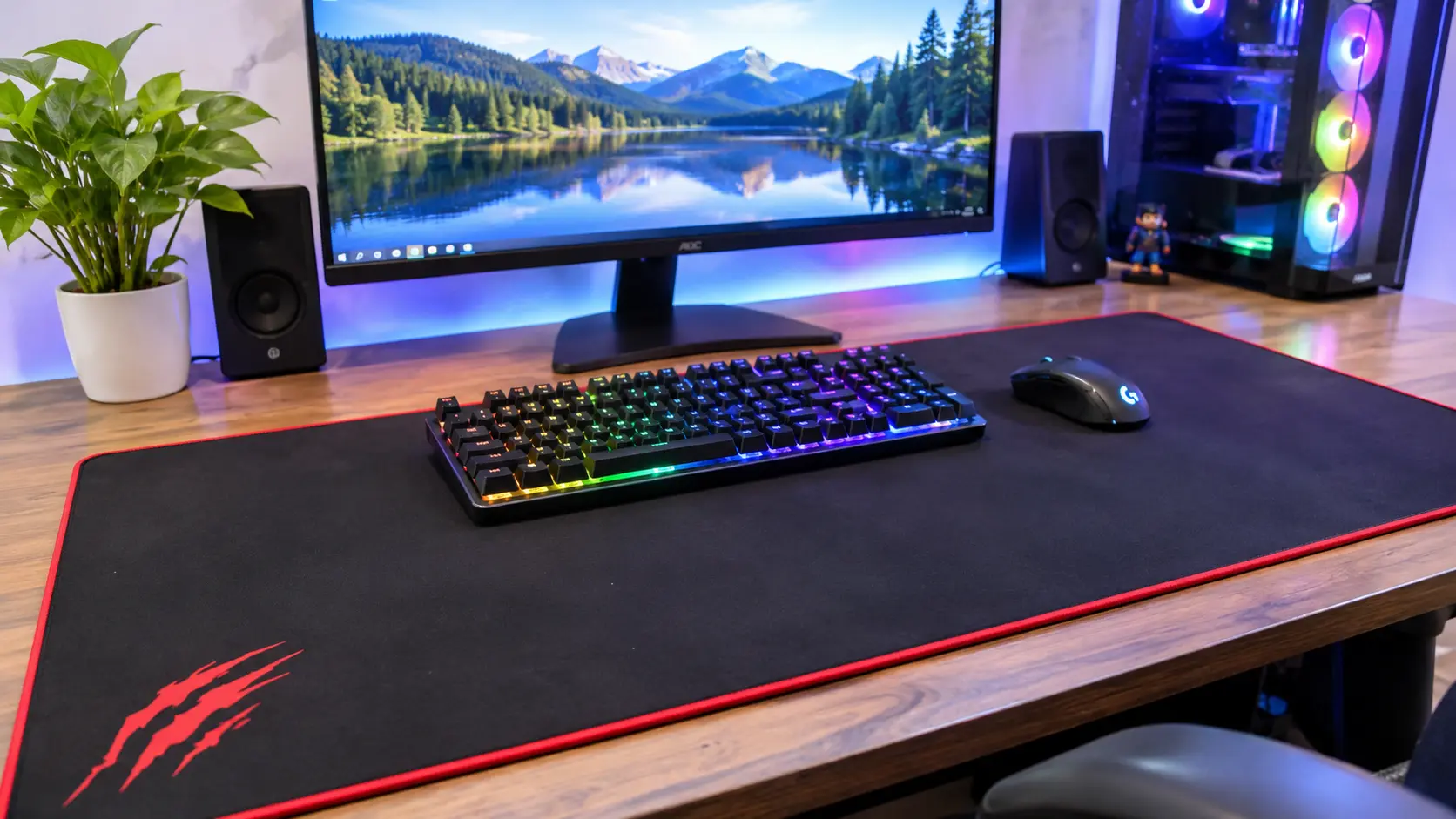
A great gaming setup isn’t just about having a powerful computer, a responsive gaming mouse, or a mechanical keyboard. The surface underneath your equipment matters too. If you’ve ever run out of mouse movement space during an intense gaming session, you already know how frustrating a small mouse pad can be.
That’s where an XXXXL mouse pad makes a difference. Designed for larger workstations, it provides an extended surface for your keyboard, mouse, and other desktop accessories. It can also make your gaming desk look cleaner while giving you more freedom to move your mouse.
However, choosing the right size isn’t always straightforward. You might come across an XL mouse pad, different XXL mouse pad dimensions, or even a XXXL mouse pad while shopping online. So, which one should you choose?
The answer depends on your desk size, gaming habits, preferred mouse sensitivity, and the amount of coverage you need.
In this guide, we’ll explain the differences between these mouse pad sizes and discuss the important features to consider before purchasing an XXXXL mouse pad for gaming.
What Is an XXXXL Mouse Pad?
An XXXXL mouse pad is an oversized desk mat designed to cover a large portion of your computer desk. Unlike traditional mouse pads that provide space mainly for mouse movement, this extended option can accommodate both your keyboard and mouse on one surface.
Think of it as a foundation for your entire gaming setup. Instead of placing your accessories directly on a hard desktop, you get a consistent surface underneath them.
These mouse pads are particularly useful for gamers who prefer low mouse sensitivity, use full-size keyboards, or want additional space for desktop accessories.
They also offer practical benefits beyond gaming. An extended desk mat can help protect your desktop from scratches, reduce direct contact with hard surfaces, and create a more organized workstation.
However, one important thing to remember is that XXXXL doesn’t have a universal measurement. Different manufacturers may use different dimensions for products carrying the same size label.
Understanding XXXXL Mouse Pad Sizes
When choosing an XXXXL mouse pad, always pay attention to its actual measurements.
Most products display three specifications:
- Width: The horizontal measurement from left to right.
- Depth: The measurement from the front to the back.
- Thickness: The height of the mouse pad.
For example, a mouse pad measuring 1200 x 600 x 3 mm provides 120 cm of width, 60 cm of depth, and 3 mm of thickness.
This type of extended surface can accommodate many keyboard and mouse combinations while providing additional room for movement.
Still, don’t assume every XXXXL mouse pad has these exact measurements. Check the manufacturer’s product specifications before ordering.
Why Are Oversized Mouse Pads Popular?
Oversized mouse pads have become popular because modern gaming setups often include multiple accessories.
A gamer might use a mechanical keyboard, gaming mouse, headphones, microphone, and other desktop equipment. Having a large surface makes it easier to organize these accessories.
Another reason is comfort. A quality extended mouse pad creates a softer surface for your hands and forearms compared with a bare desktop.
For gamers who spend hours playing, these small improvements can make the workstation feel more comfortable and practical.
Understanding Different Mouse Pad Sizes
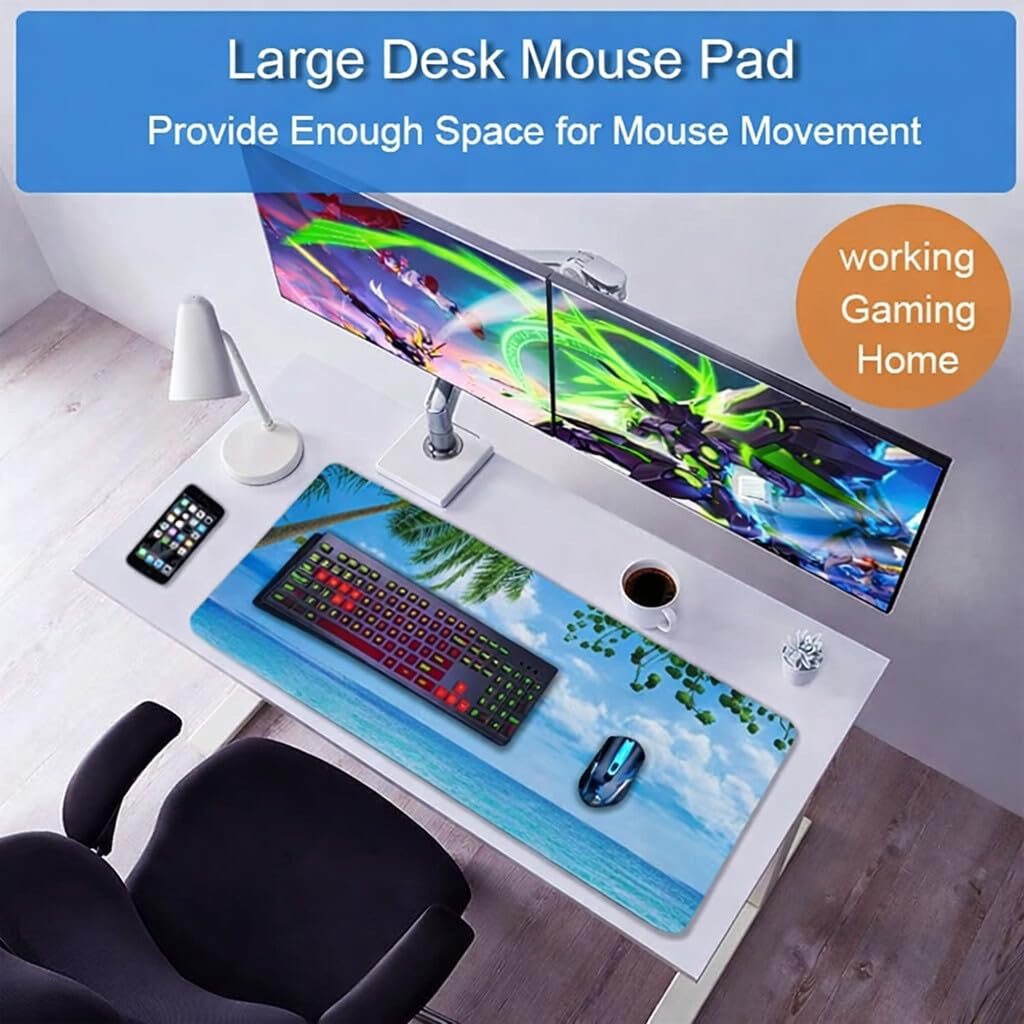
Before choosing an XXXXL mouse pad, it’s helpful to understand the smaller size categories.
You may find XL, XXL, and XXXL mouse pads while comparing products. Although these labels indicate increasing size categories, manufacturers don’t always follow identical measurements.
Let’s look at each option.
XL Mouse Pad: Features and Dimensions
An XL mouse pad is generally larger than a standard mouse pad but smaller than most extended desk mats.
Common examples include:
- 700 x 300 mm.
- 800 x 300 mm.
These dimensions provide more movement space than a traditional compact mouse pad.
An XL mouse pad can be suitable for people with moderately sized desks who want additional mouse space without covering most of their workstation.
It’s also a practical choice if you frequently move your mouse but prefer keeping your keyboard on a separate surface.
XXL Mouse Pad Dimensions Explained
An XXL mouse pad generally provides enough space for a keyboard and mouse.
Some commonly available measurements include:
| Dimensions | Centimetres | Inches |
|---|---|---|
| 800 x 300 mm | 80 x 30 cm | 31.5 x 11.8 |
| 900 x 400 mm | 90 x 40 cm | 35.4 x 15.7 |
| 1000 x 400 mm | 100 x 40 cm | 39.4 x 15.7 |
| 1000 x 500 mm | 100 x 50 cm | 39.4 x 19.7 |
| 1200 x 600 mm | 120 x 60 cm | 47.2 x 23.6 |
These measurements are useful when comparing different extended mouse pads.
For example, a 900 x 400 mm option can provide enough space for many keyboard and mouse combinations. A 1000 x 500 mm option offers additional depth for wider mouse movements.
If you want a more detailed breakdown of available measurements, read our guide to standard XXL mouse pad dimensions .
XXXL Mouse Pad: What Makes It Different?
A XXXL mouse pad is another option for people who need more desk coverage than a conventional extended mouse pad provides.
Depending on the manufacturer, a XXXL mouse pad may offer additional width, depth, or both.
This makes it useful for gaming setups that include full-size keyboards and require plenty of room for mouse movement.
Some people prefer a XXXL mouse pad because it provides extensive coverage without necessarily taking up as much space as the largest available desk mats.
However, the actual difference between XXL and XXXL products depends on their dimensions rather than the label.
Always compare the measurements before purchasing.
XXXXL Mouse Pad vs Smaller Sizes
An XXXXL mouse pad is generally designed for larger workstations where maximum surface coverage is a priority.
Compared with smaller options, it can provide more room for accessories and mouse movement.
Here’s a quick comparison:
| Size | Typical use | Main advantage |
|---|---|---|
| XL | Smaller gaming desks | Additional mouse space |
| XXL | Medium gaming setups | Keyboard and mouse coverage |
| XXXL | Larger workstations | More extended coverage |
| XXXXL | Spacious gaming desks | Extensive desktop coverage |
These are general categories, not universal sizing standards.
A product labelled XXXL by one manufacturer could have dimensions similar to another manufacturer’s XXXXL product.
That’s why checking the actual measurements is always the smarter approach.
Why Choose an XXXXL Mouse Pad for Gaming?
So, why should you consider such a large mouse pad?
The answer comes down to comfort, movement, and convenience.
More Room for Mouse Movement
Additional movement space is one of the biggest advantages of an XXXXL mouse pad.
This can be particularly helpful for gamers who use low DPI or sensitivity settings.
During competitive games, you may need to move your mouse across a wide area to aim, track opponents, or change directions.
A smaller mouse pad can force you to lift and reposition your mouse frequently.
An extended surface gives you more freedom to perform these movements without constantly reaching the edges.
Comfortable Keyboard and Mouse Placement
An XXXXL mouse pad can accommodate your keyboard and mouse on the same surface.
This creates a consistent foundation for your gaming equipment.
You can position your keyboard comfortably while leaving enough room for your mouse movements.
It also helps create a more coordinated appearance because your accessories share one surface.
Better Gaming Desk Protection
Your gaming desk experiences everyday wear from keyboards, mice, and other accessories.
A large mouse pad provides an additional protective layer between your equipment and the desktop.
It can help reduce scratches, friction marks, and direct contact with hard surfaces.
This is particularly useful if you have a wooden or laminated desk that you want to keep looking good.
A Cleaner and More Organized Setup
A large desk mat can bring your entire workstation together.
Instead of having separate small surfaces for different accessories, you can create one consistent area.
Choose a colour or design that matches your keyboard, mouse, and overall gaming setup.
The result is a cleaner appearance without needing to replace your existing equipment.
Important Factors to Consider When Buying an XXXXL Mouse Pad
Not every large mouse pad offers the same quality.
Before purchasing, consider these important features.
1. Size and Desk Compatibility
Start by measuring your desk.
An XXXXL mouse pad can occupy a significant amount of space, so you need to make sure it fits comfortably.
Measure the available width and depth of your workstation.
Also, consider the space occupied by your monitor stand, speakers, keyboard, and other accessories.
For example, a 1200 x 600 mm mouse pad requires 120 cm of horizontal space and 60 cm of depth.
If your desk is smaller than these measurements, choosing a more compact option might be better.
2. Surface Material and Texture
The surface material affects mouse movement, comfort, and maintenance.
Some surfaces offer smoother movement, while others provide more friction and control.
Your preferred gaming style should influence your choice.
Cloth Surface
Cloth is a popular option for gaming mouse pads because it provides a comfortable and flexible surface.
It generally offers a balanced combination of glide and control.
Other benefits include:
- Comfortable contact with your hands.
- Flexible construction.
- Different texture options.
- Compatibility with many optical gaming mice.
- Easy storage when rolled properly.
However, cloth can collect dust and dirt over time, so regular cleaning is important.
Hybrid and Hard Surfaces
Hybrid mouse pads combine characteristics of different surface materials.
Depending on their construction, they may provide a different balance between mouse speed and control.
Hard mouse pads generally feature rigid surfaces that offer smooth movement.
However, they may feel less comfortable if you regularly rest your wrists and forearms on the desk.
Choose the material that best matches your preferences.
3. Thickness and Cushioning
Thickness influences how your mouse pad feels against the desktop.
Many gaming mouse pads come in different thickness options, commonly around 2–5 mm.
A thicker surface may provide additional cushioning, while a thinner option can create a flatter feel.
Consider your keyboard positioning and personal comfort before choosing.
4. Non-Slip Rubber Base
A stable rubber backing helps prevent your mouse pad from moving during gameplay.
This is especially important when performing quick mouse movements.
Look for a textured rubber base that maintains good contact with your desktop.
Also, keep the desk clean because dust can reduce grip.
5. Stitched Edges and Durability
The edges of your mouse pad experience regular friction.
Poor-quality stitching can lead to fraying or separation over time.
Reinforced edges help protect the fabric and improve overall durability.
Before purchasing, check product photographs and customer reviews for comments about loose stitching, curling corners, and peeling surfaces.
6. Easy Cleaning and Maintenance
A gaming mouse pad can collect dust, sweat, and everyday dirt.
Some products feature water-resistant coatings, while others require more careful cleaning.
Check the manufacturer’s maintenance instructions before buying.
A mouse pad that’s easy to clean can save you time and help maintain its appearance.
How to Choose the Right XXXXL Mouse Pad for Your Gaming Style
Your gaming habits should influence the size and material you choose.
Choosing a Mouse Pad for FPS Gaming
First-person shooter games often require quick reactions and accurate mouse movements.
Players who use low sensitivity settings may benefit from a large surface.
An XXXXL mouse pad can provide enough space for sweeping movements while keeping your keyboard on the same surface.
Look for consistent surface texture, a reliable rubber base, and reinforced edges.
Mouse Pads for Casual and Everyday Gaming
If you mainly play casual games, strategy titles, or role-playing games, you might not need the largest available mouse pad.
An XL or XXL mouse pad may provide sufficient coverage.
However, if you also use your desk for office work or studying, an XXXXL option can provide additional convenience.
Mouse Pads for Work and Gaming
An extended mouse pad can be useful beyond gaming.
You can use it for typing, browsing, designing, and everyday computer activities.
For a mixed-use workstation, prioritize a comfortable surface, durable construction, easy cleaning, and a design that complements your desk.
XXXXL Mouse Pad vs XXXL Mouse Pad: Which Is Better?
Both sizes can be useful, but the right choice depends on your available desk space.
An XXXL mouse pad may provide sufficient coverage for a large gaming keyboard and mouse combination.
An XXXXL mouse pad is worth considering if you need even more room for accessories or prefer extensive desktop coverage.
Consider these points before deciding:
- Choose XXXL if you want extended coverage without occupying too much desk space.
- Choose XXXXL if you have a spacious desk and need additional surface area.
- Compare actual dimensions rather than relying on product labels.
- Consider the size of your keyboard and the movement area required by your mouse.
The best choice is the one that fits your workstation without making it feel crowded.
How to Measure Your Desk Before Buying
Measuring your desk before purchasing an oversized mouse pad is simple.
Follow these steps:
- Measure the available horizontal width.
- Measure the front-to-back depth.
- Account for your monitor stand and other accessories.
- Compare the available space with the product dimensions.
- Leave enough room for comfortable keyboard and mouse positioning.
You can also use removable tape to mark the proposed mouse pad dimensions on your desk.
This gives you a clear idea of how the product will fit before you place an order.
Common Mistakes to Avoid When Choosing a Gaming Mouse Pad
Avoid these common purchasing mistakes:
- Ignoring measurements: Always check the actual dimensions.
- Choosing appearance over quality: A stylish design doesn’t guarantee good construction.
- Forgetting desk compatibility: Make sure the mat fits your workstation.
- Overlooking surface material: Choose a texture suitable for your gaming style.
- Ignoring the rubber backing: Stability matters during fast movements.
- Not reading customer reviews: Check feedback about stitching, durability, and surface quality.
A little research can help you find a product that offers better long-term value.
How to Maintain Your XXXXL Mouse Pad
Regular maintenance helps keep your mouse pad clean and comfortable.
Follow these simple practices:
- Remove loose dust using a soft cloth or brush.
- Follow the manufacturer’s cleaning instructions.
- Use gentle cleaning products when permitted.
- Avoid harsh chemicals and aggressive scrubbing.
- Let the mouse pad dry completely before using it again.
- Keep food and drinks away from the surface whenever possible.
Never assume that a water-resistant mouse pad is completely waterproof.
With proper care, your extended gaming mouse pad can maintain its appearance and usability for longer.
Conclusion
Choosing the best XXXXL mouse pad for gaming requires more than simply selecting the largest size available. You need to consider your desk dimensions, mouse sensitivity, preferred surface material, thickness, and overall comfort.
Understanding the differences between an XL mouse pad, XXL mouse pad dimensions, and a XXXL mouse pad can also help you make a more informed purchasing decision.
While smaller options may be suitable for compact workstations, an XXXXL mouse pad can provide extensive coverage for larger gaming setups. It offers additional room for mouse movement, convenient keyboard placement, and a consistent surface for your accessories.
Before making your final decision, always compare the actual product measurements and check its construction quality. Ultimately, the best mouse pad is one that fits your desk, supports your gaming habits, and makes your workstation more comfortable and organized.
FAQs
Q1. What is the difference between XL, XXL, XXXL, and XXXXL mouse pads?
The main difference is their overall size and surface coverage. An XL mouse pad generally offers additional mouse space, while XXL, XXXL, and XXXXL options provide progressively larger coverage. However, manufacturers use different sizing standards, so always compare actual measurements.
Q2. Are XXL mouse pad dimensions suitable for gaming?
Yes. Common XXL mouse pad dimensions, such as 900 x 400 mm and 1000 x 500 mm, can provide enough space for many gaming setups. Your ideal size depends on your keyboard, mouse sensitivity, and available desk space.
Q3. Is an XXXXL mouse pad better than an XXXL mouse pad?
An XXXXL mouse pad may be better if you have a spacious gaming desk and need additional room for your keyboard, mouse, and accessories. However, an XXXL mouse pad may be more practical for smaller workstations.
Q4. What material is best for an XXXXL mouse pad?
Cloth is a popular choice because it provides a comfortable surface and a balanced combination of speed and control. Hybrid and hard surfaces are also available for users with different gaming preferences.
Q5. How do I know if an XXXXL mouse pad fits my desk?
Measure your desk’s available width and depth, then compare those measurements with the product specifications. Remember to account for your monitor stand, speakers, keyboard, and other desktop accessories.
1 thought on “How to Choose the Best XXXXL Mouse Pad for Gaming”